
Скачать Convert MSG to PDF with Attachments
Convert MSG to PDF with Attachments in Bulk
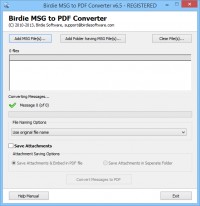
Now users of MSG to PDF Converter have two different saving attachments to save attachments of MSG files. After download .exe of software, when you run software in your machine. Take first steps and browse folder of Outlook MSG files or MSG files if you want to convert few countable MSG files into Adobe PDF format, know than select file naming option. When you complete above steps, after that select any one option, according to your need from following two options – “Save Attachments Embed in PDF” and “Save Attachments in Separate Folder”, after that simply click on “Convert Messages to PDF” button. You can complete this process in any Windows based machine.
Скачать Convert MSG to PDF with Attachments бесплатно на странице загрузки.
Convert MSG to PDF with Attachments 3.9
Основная информация о программе
Разработчик
Рубрика
Лицензия
Версия
Дата релиза
Размер файла
Операционная система
Семейство
Версия ОС
Win7 x32
Win7 x64
Win98
WinVista
WinVista x64
WinXP
Требования
Популярность у пользователей
Рейтинг
Голосов
Статистика просмотров
За сегодня
За неделю
За все время
Статистика загрузок
За сегодня
За неделю
За все время
Дополнительная информация
Дата изменения
Ключевые слова
Скачать Convert MSG to PDF with Attachments 3.9
convert msg to pdf with attachments
convert msg to adobe pdf with attachments
Популярные программы рубрики


