
Скачать Magic Music Editor
Record and edit audio files.
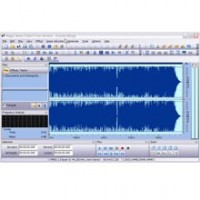
Magic Music Editor has a huge update now. Whether a newbie or repeat customer, you will get an unforgettable experience. For repeat customers, we have changed the interface, added more powerful, visual multifunction. This new editor not only can help you display a waveform image of an audio file, filter, apply various audio effects, format conversion but also can help you synthesize speech, extract CD track, do batch converter and burn new CD. For newbie, more humanistic settings are set up, and then newbie can deal with the multifunctional editor in few steps. It's more easy to use.
At this time, we have listed the general functionos of Magic Music Editor in the following, then users can use the application to:
Open, create and save audio files.
Cut and paste audio file in the waveform window.
Extract a track from CD. Show file properties.
Play an audio file or any selected part of it.
Record audio file from a microphone or other input devices.
Record your voice and add special effects (like echo and fade).
Time Record (Start Position, Length, Visualization Type)
Text to speech
Easy to use toolbar
Combine or split files easily
Edit an audio file (Cut, Copy, Delete Silence, Paste and Mix)
Edit an audio file (Overwrite, Replicate, Repeat, Snap )
Apply different effects (Amplify, Delay, Equalizer, Fade, Flanger, Invert, Normalize, Reverse, Multi Tap Delay, Silence, Stretch, Vibrato, Echo and Chorus).
Apply different filters to the selected part of an audio file (Ban Pass Filter,High Pass Filter, High Shelf Filter, Low Pass Filter, Low Shelf Filter and Notch Filter).
Edit the tags for mp3, mp2, wma file (Artist, Album, Title, Year, Comment, Track, Genre).
Insert noise or silence.
Insert DTMF.
Convert audio files
Convert audio files with effects
Convert channel
Erase disc
Audio cd burner
Batch converter
Edit WMA information
Use mark list to name the selected part or special part of the audio data.
Скачать Magic Music Editor бесплатно на странице загрузки.
Magic Music Editor 8.12.2.11
Основная информация о программе
Разработчик
Рубрика
Лицензия
Версия
Дата релиза
Размер файла
Операционная система
Семейство
Версия ОС
WinME
WinNT 3.x
WinNT 4.x
Windows2000
WinXP
Windows2003
Vista
Требования
Популярность у пользователей
Рейтинг
Голосов
Статистика просмотров
За сегодня
За неделю
За все время
Статистика загрузок
За сегодня
За неделю
За все время
Дополнительная информация
Дата изменения
Ключевые слова
Скачать Magic Music Editor 8.12.2.11
audio
record
edit
convert
DVD
VCD
CD
WAV
Tapes
LP
MP3
MP2
MPEG
Ogg
CDA
AVI
AIFF
AU
G.721
G.723
G.726
VOX
RAW
MPC
Популярные программы рубрики


