
Скачать PDF to HTML Converter Command Line
Convert PDF to html
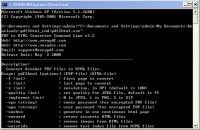
With PDF to HTML Converter Command Line, convert PDF document to html webpage by Command Line. You can use this software to
generate a single HTML page from a PDF file with multiple pages, and customize your HTML by setting HTML page title, keywords, background color,
and space between characters. PDF to HTML converter also can help you well preserve the original images from PDF to HTML.
Feature of PDF to HTML Converter Command Line:
1.Output PNG, GIF or JPG image (option "-imgformat").
2.Insert page text contents into "keywords" Meta Tag for SEO (option "-noseo" for switch).
3.Search engine optimization (SEO) for Google, Yahoo, Bing, and AOL in HTML.
4.Customize HTML Meta Tags, such as title, description, keywords, email, publisher, copyright, author, robots, distribution, etc. (edit the file "htmlinf.txt").
5.Create a plain text file for index or SEO (file "outlines.txt").
Скачать PDF to HTML Converter Command Line бесплатно на странице загрузки.
PDF to HTML Converter Command Line v3.21
Основная информация о программе
Разработчик
Лицензия
Версия
Дата релиза
Размер файла
Операционная система
Семейство
Версия ОС
WinVista
WinVista x64
Win7 x32
Win7 x64
Win2000
WinOther
Windows2000
Windows2003
WinServer
Windows Vista Ultimate
Windows Vista Ultimate x64
Windows CE
Win98
WinME
WinNT 3.x
Win95
Windows Vista Starter
Windows Vista Business
Windows Vista Enterprise
Требования
Популярность у пользователей
Рейтинг
Голосов
Статистика просмотров
За сегодня
За неделю
За все время
Статистика загрузок
За сегодня
За неделю
За все время
Дополнительная информация
Дата изменения
Ключевые слова
Скачать PDF to HTML Converter Command Line v3.21
PDF to HTML
convert PDF to HTML
Command Line
PDF to HTML converter
PDF converter
customize HTML
HTML creator.
Популярные программы рубрики


