
Скачать iCoolsoft Xbox Converter
convert videos or audios to Xbox
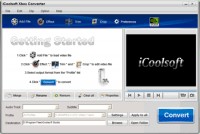
iCoolsoft Xbox Converter is a professional and powerful software which can help you to convert videos or audios to Xbox WMV, ASF, VOB, MPG, MPEG, AVI, MP4, TS, MP3, WAV, and WMA format easily and quickly. It supports inputting almost all popular video formats, such as, MKV, AVI, 3GP, 3G2, FLV, SWF, MPEG, VOB, DAT, MP4, M4V, TS, etc.
You can also use it to extract audio tracks from videos and convert to the audio format you prefer. The trim function of it can help you to select only a part of the entire video to convert so that you can easily convert a song in a movie to MP3 format.
You can select audio track as well as subtitle for the output files. You can set output parameters. You can also take snapshot of the scenes you like the best of videos. There are many other interesting functions of this software, waiting for you to experience yourself. There's no doubt that it will meet any of your needs.
Functions and Features
Convert videos for Xbox
This Xbox Converter can easily convert any video such as MPG, MPEG, MPEG 2, VOB, DAT, MP4, M4V, TS, RM, RMVB, WMV, ASF, MKV, AVI, 3GP, 3G2, FLV, SWF, MPV, MOD, TOD, QT, MOV, and HD videos to Xbox/Xbox 360 video formats with perfect quality and fast speed.
Powerful audio converter for Xbox
The software can easily convert any audio such as MP3, MP2, AAC, AC3, WAV, WMA, M4A, RM, RAM, OGG, AU, AIF, AIFF, APE, FLAC, and NUT to Xbox/Xbox 360 MP3, WAV, and WMA audio files. In addition, it also supports extracting audio tracks from videos and converting them to audio format.
Set output parameters
You can set Video Encoder, Frame Rate, Video Bitrate, Resolution, Audio Encoder, Sample Rate, Channels, Audio Bitrate at will. As for the Resolution, if you can't find what you want in the list, you can input your own resolution in Width (pixels) * Height (pixels).
Improve display effect
You can get your desired video display quality by adjusting Brightness, Contrast, and Saturation.
Скачать iCoolsoft Xbox Converter бесплатно на странице загрузки.
iCoolsoft Xbox Converter 3.1.12
Основная информация о программе
Разработчик
Лицензия
Версия
Дата релиза
Размер файла
Операционная система
Семейство
Версия ОС
Требования
Популярность у пользователей
Рейтинг
Голосов
Статистика просмотров
За сегодня
За неделю
За все время
Статистика загрузок
За сегодня
За неделю
За все время
Дополнительная информация
Дата изменения
Ключевые слова
Скачать iCoolsoft Xbox Converter 3.1.12
xbox movie converter
xbox video converter
xbox 360 video converter
convert movies to xbox wmv
convert to vob mpg mpeg avi ts
convert videos to xbox 360
convert video to xbox asf
convert movie to xbox mp4
Популярные программы рубрики


